It should look like your company, not ours
Logo, colors, your own sending domain — so a client isn’t staring at some other software’s name on their login screen.
Included on the Pro plan.
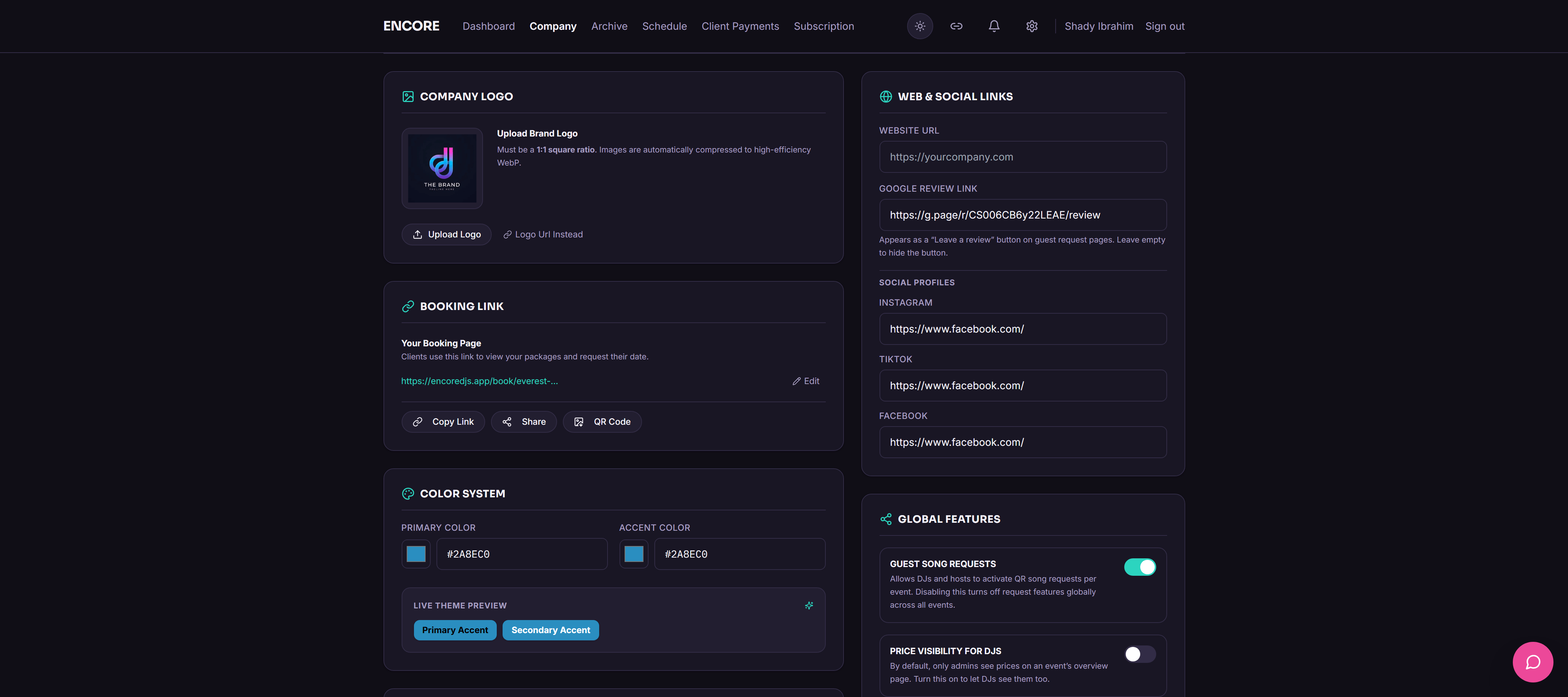
Handing a client a login page that says a different company’s name on it undercuts the whole "professional experience" thing you’re selling them. So don’t. Your logo and colors go across the portal, the request page, the guestbook — everywhere the host actually sees.
There’s a verified sending domain too, so emails come from your own address instead of a shared one — better for deliverability, and it just looks like you sent it, because you did. Six email layouts come pre-built and pick up your branding automatically.
How it actually works
Set logo and colors once
They carry across the portal, request page, and guestbook automatically.
Verify a sending domain
Notification emails come from your address, not a shared one.
Branded emails, no design work
Six layouts, already built, already branded.
Why bother
- Every screen the host sees reads as your company
- Better email deliverability from a verified domain
- Six email templates, zero design work
- Reinforces your brand from booking to event night
Questions people ask
Do I need design skills to set up custom branding?
No, upload a logo, pick colors, done.
What is a custom sending domain and why does it matter?
It’s the difference between an email that looks like it came from you and one that looks like it came from some SaaS tool. Also helps it land in the inbox instead of spam.
Is custom branding available on the Starter plan?
No, that’s Pro.
Other stuff worth a look
Try it on your next event
14 days free, no call required, no card stunt where you have to remember to cancel.