Stop hunting through your texts for one client
Every booked event gets its own thread. You’re not scrolling back to March trying to find what someone agreed to.
Included on the Pro plan.
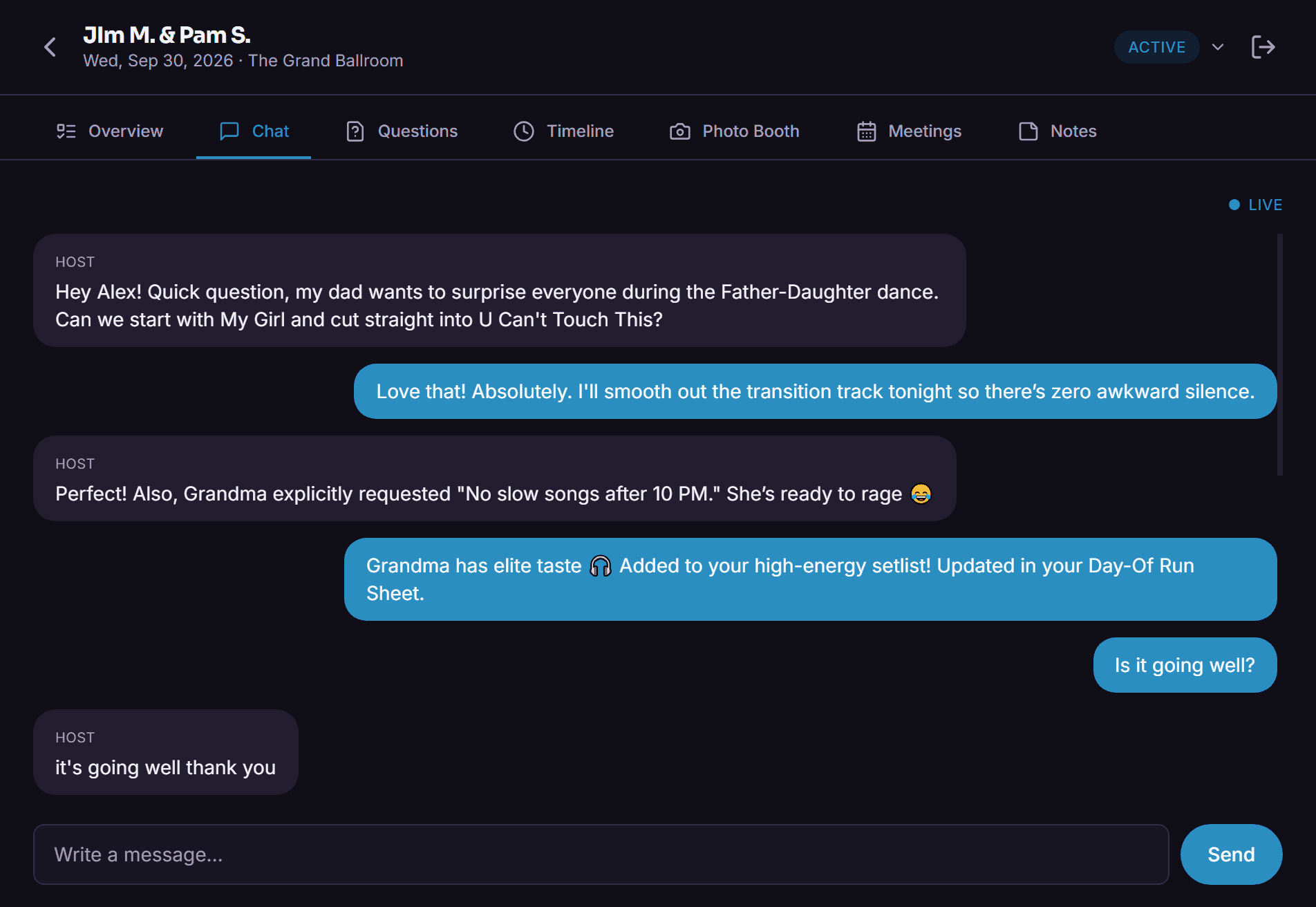
You know the moment. Client asks "didn’t we already talk about the first dance song?" and you’re thumbing through six months of texts trying to find it, sandwiched between a pizza order and something your mom sent you. It was in there somewhere. Probably.
Host chat just ties the conversation to the event instead of your phone. Open the booking, the whole history is right there — questions, confirmations, the time they changed their minds about the exit song. If another DJ on your team ends up covering the night, they’re not walking in blind either.
How it actually works
One invite, no separate login to remember
Client gets a link tied to their event, signs in once, and lands somewhere that looks like your company, not a generic chat widget.
The conversation lives with the booking
Not buried in your personal messages. Open the event, see the whole thread.
Your team can see it too
Useful when someone’s out sick and a different DJ has to pick up the event cold — the context is already there.
Why bother
- You can actually find old conversations without scrolling forever
- Reads as your company, not somebody’s personal phone number
- A teammate covering an event isn’t starting from zero
- Ties directly into the run sheet, so a message can turn into an update without switching tabs
Questions people ask
Does the client need to create a separate account?
No, just an invite tied to their event.
Can more than one staff member see the conversation?
Yes — admins can pull up any DJ’s conversations, which matters more than people think once you’ve got more than one DJ on staff.
What plan includes host chat?
Pro. Comes bundled with song requests, Live Mode, and branding.
Other stuff worth a look
Try it on your next event
14 days free, no call required, no card stunt where you have to remember to cancel.