One screen, event day, nothing else
The run sheet and the request queue, full-screen, updating live — because you’ve got enough going on without twelve browser tabs.
Included on the Pro plan.
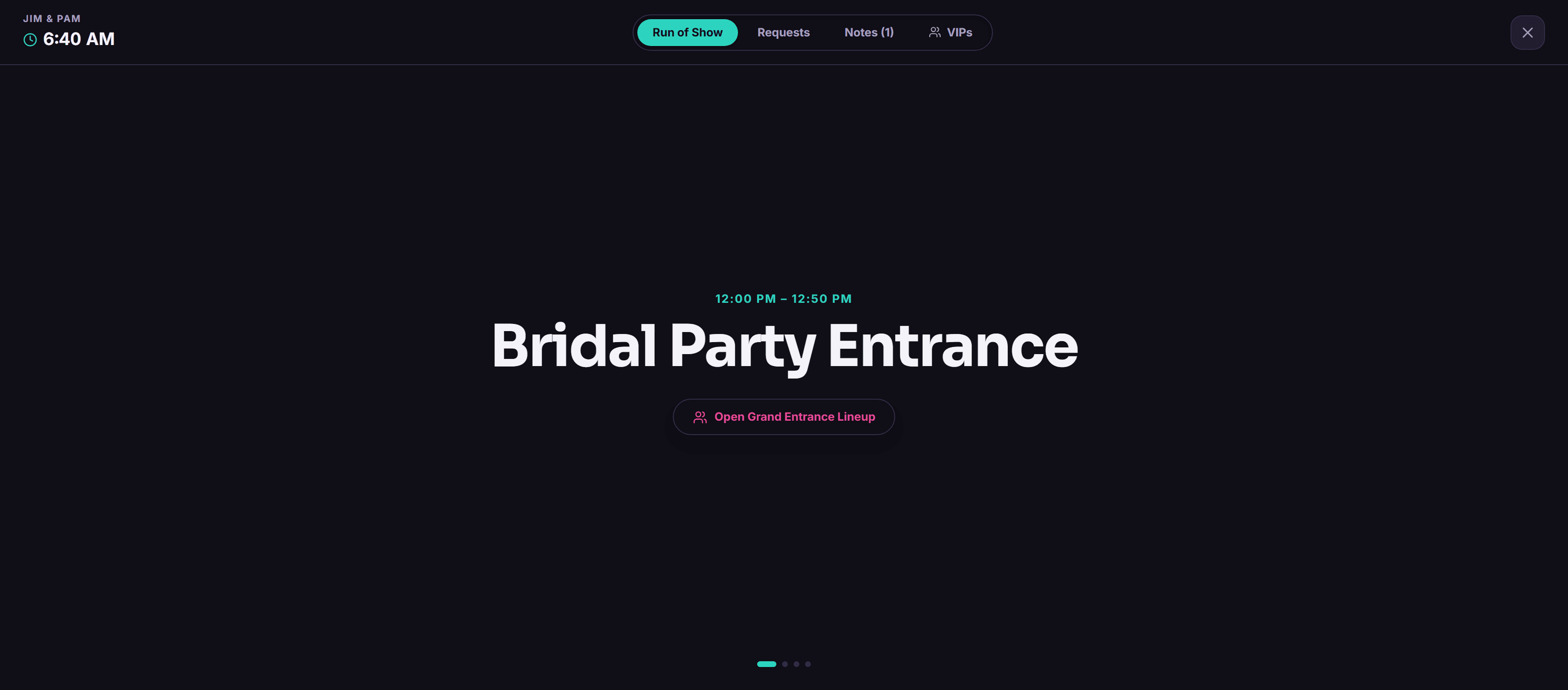
You don’t need twelve tabs open at 7pm in a DJ booth. You need one screen that tells you what’s happening now, what’s next, and whether somebody just requested a song while you were busy actually DJing.
Live Mode is that screen. Same run sheet, same request queue you set up during planning — just reformatted so it works from a booth instead of a laptop during setup week. A badge pops when a request comes in. You don’t have to go looking for it.
How it actually works
Turns on by itself
No toggle to remember at the venue. It’s just live on the day of the event.
Run sheet and requests, one screen
You’re not flipping between two views mid-set.
New request badge, real time
No refreshing, no checking a separate tab out of paranoia.
Why bother
- One screen instead of tab-switching during a set
- You’ll actually notice a new request instead of finding it an hour later
- Same data you built during planning, just formatted for the booth
- Fewer missed requests, fewer "wait, did anyone ask for—" moments
Questions people ask
Does Live Mode work on a tablet in the booth?
Yes, any device with a browser works.
Do I need to manually turn Live Mode on?
No, it just activates on event day.
Is Live Mode included on the Starter plan?
No, that one’s Pro-only. Starter still gets the run sheet, just not the full-screen live version.
Other stuff worth a look
Try it on your next event
14 days free, no call required, no card stunt where you have to remember to cancel.